Meetings, built around who said what.
Echo listens to your mic and the other side of the call, tells the voices apart, and writes the note: summary, decisions, next steps with owners, open questions, and the full transcript with every line timed. No bot joins. No audio is kept. Dictation keeps working the whole time.
Who spoke
Every voice gets its own label, on your mic and on the call. Name a voice once and Echo knows it next time.
A transcript you can read
Each line carries its own time and speaker. Search inside it, filter to one person, jump to the moment.
Notes you can act on
Summary, topics, decisions, action items with owners and dates, open questions. Your typed notes stay on top.
Filed for you
Folders you make, filed automatically. Tags, people, the app the call was in, stars, and your open to-dos.
Find anything
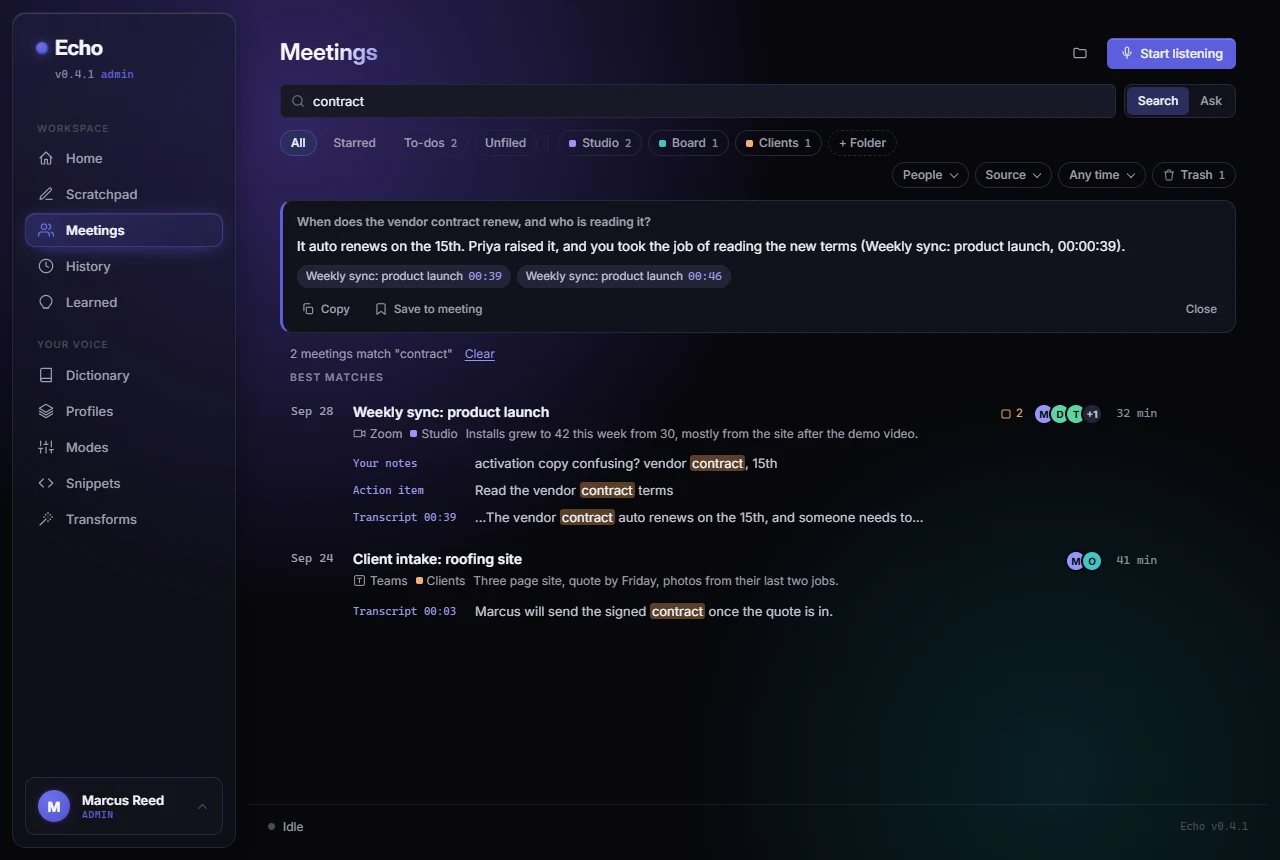
One box searches every word said and lands on the line. Flip it to Ask for an answer with the meeting and time cited.
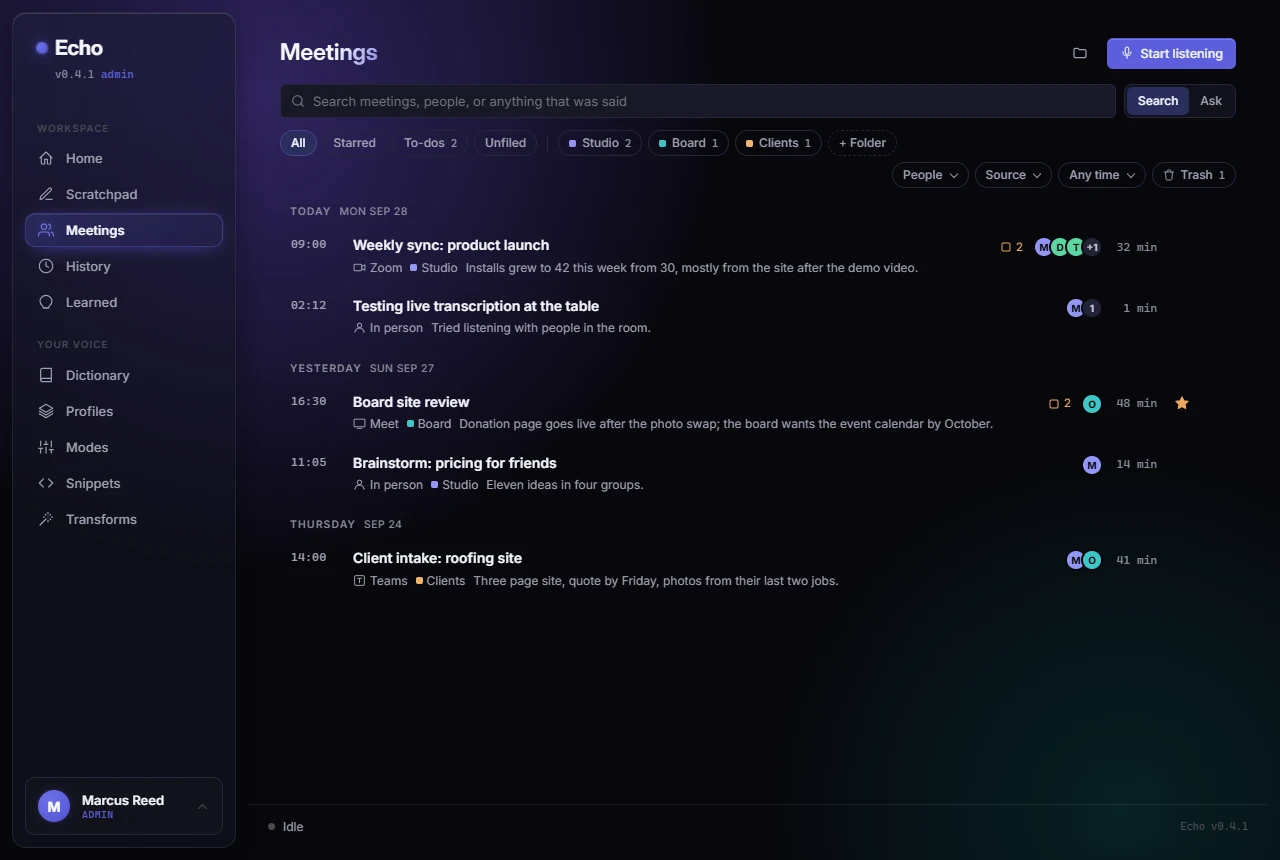
Your meetings as a list you can scan.
Grouped by day, one row per meeting: the time, the title, a line of the summary, who was there, where the call happened, the folder, and the open to-dos. Folders and filters sit in one row under the search box. A detected call shows as a banner; a live meeting pins itself to the top.
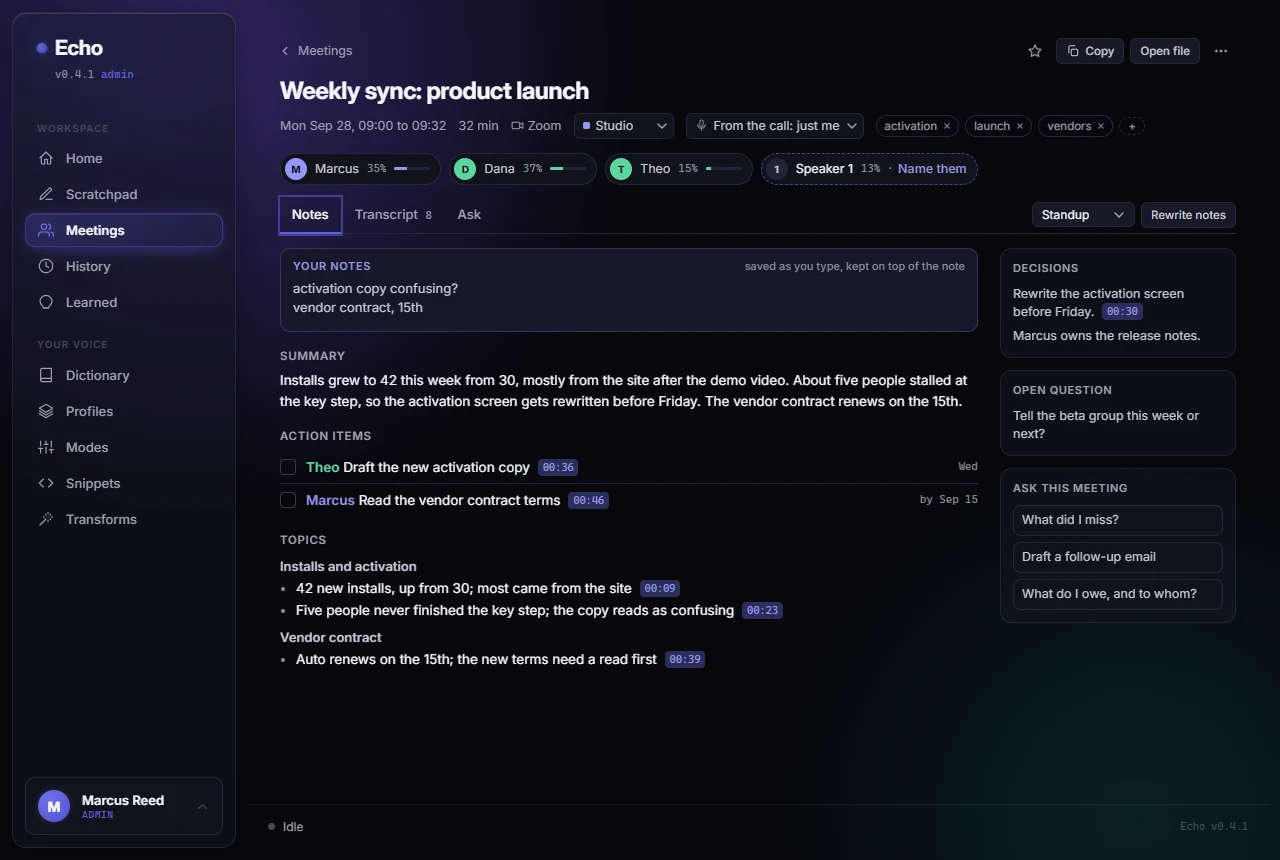
A meeting reads like a document.
Click a row and the meeting opens full width, with a way back. The people strip shows every voice and how much each one talked. Notes, Transcript and Ask are tabs. Action items have owners, dates and checkboxes, and the open ones roll up into the To-dos filter.
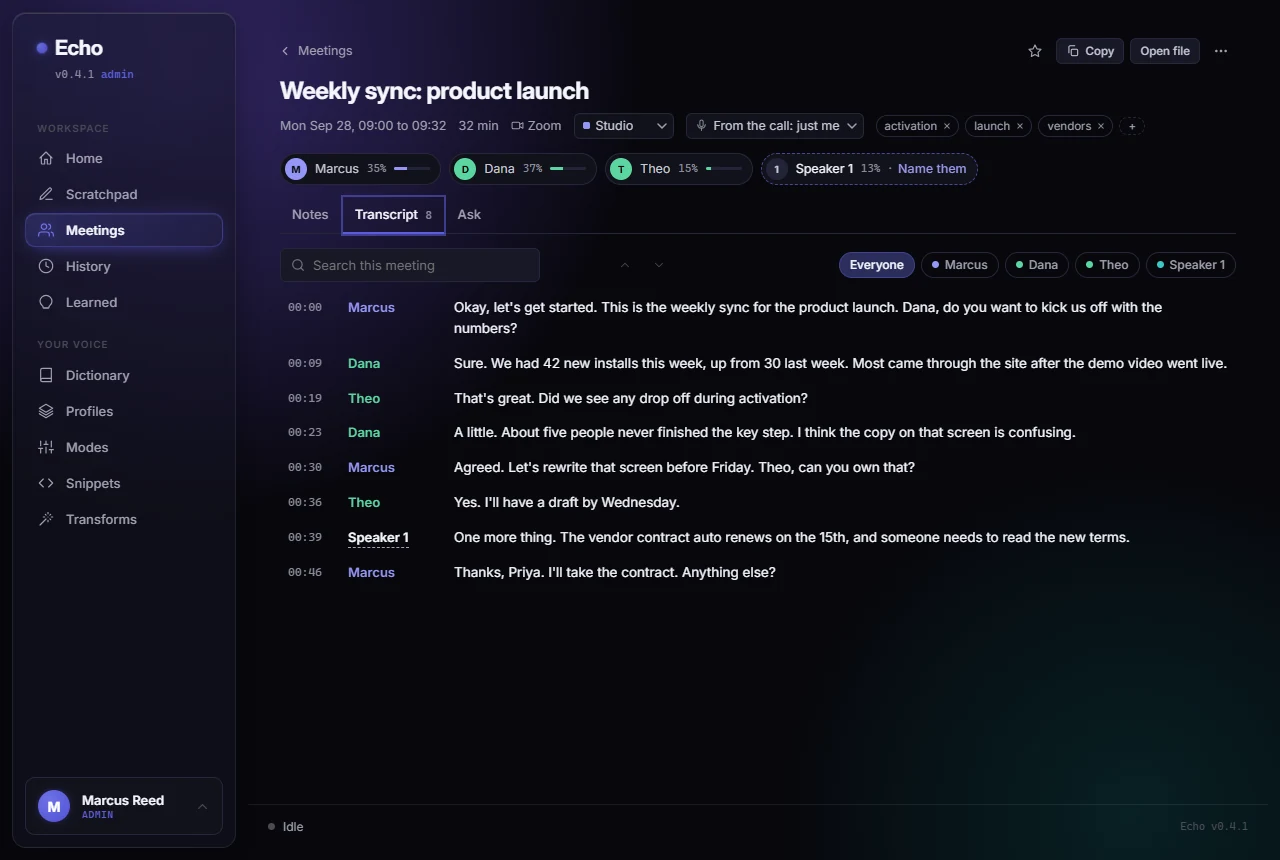
Name a voice once. Echo knows it next time.
Each line has its own time and speaker color. Click an unnamed speaker and type a name; Echo suggests one when someone was called by name during the meeting. Keep "Remember this voice" on and the next meeting labels that person on its own. Your own voice is learned from your dictation, so your lines carry your name from the first meeting.
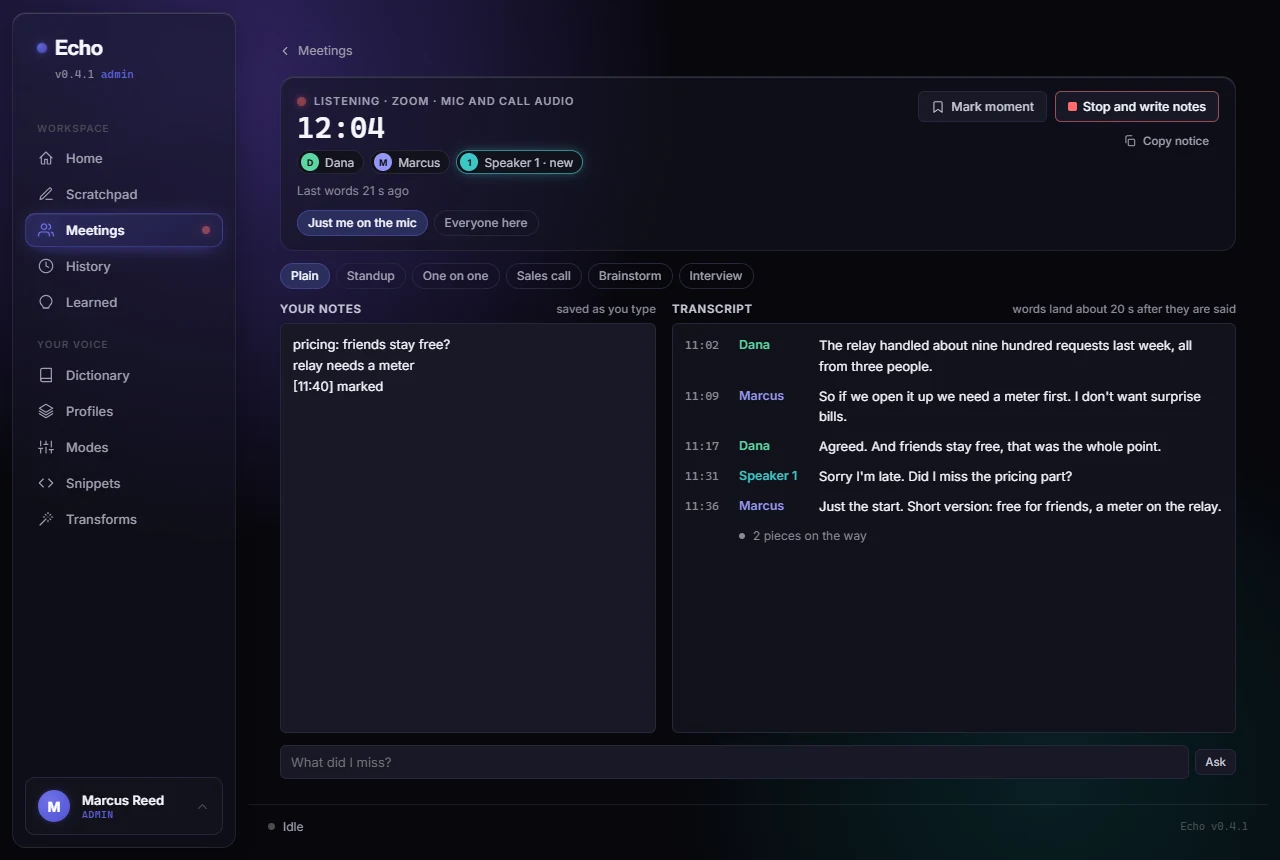
While you listen, voices appear as they speak.
The live view keeps your notes pad beside the transcript, with the template chips and the big clock. Speakers show up as Echo meets them, a new one is marked, Mark moment stamps the time into your notes, and the Meetings tab carries a live dot from anywhere in the app. Ask "What did I miss?" without stopping.
One box for finding and for asking.
Search matches every word said, your notes, the AI notes, people and tags, and shows the line that matched with its time. Click a transcript hit and the meeting opens at that line. Ask answers from the best matching meetings, with the meeting and time cited and clickable, and the answer can be saved into the meeting.
How Echo tells voices apart, with no audio kept.
No new service and no new account. One small voice model downloads once and runs on your laptop. Audio is still deleted the moment each piece is transcribed; what stays is a short list of numbers per voice, and only for the people you choose to remember.
Pieces at pauses
Each side (your mic, the call) is cut at natural pauses into pieces of about 12 to 25 seconds.
Every word timed
The speech model returns each word with its start and end, so every line gets a real time.
Split at sentences
Words become lines at sentence ends and pauses, where people hand the floor over.
A signature per line
The voice model turns each line into a short list of numbers on your laptop. Similar voices give similar numbers.
Lines become speakers
Lines that sound alike join one speaker. When you stop, a last pass checks every line against the final voices.
Named once, known after
Name a speaker and the signature is saved for that person. The next meeting labels them itself.
Things people ask first.
- Nobody joins your call. No bot in the participant list, no calendar access, no account to connect. Echo listens on your machine, in any call app, or in person.
- Nobody is told automatically. Echo does not announce itself. Copy notice gives you a line to paste into the chat; you say you are taking notes, the way you would with a pen.
- Audio is never kept. A meeting is held on your disk only in short pieces until each one is transcribed, then deleted. There is no recording library, on your disk or anywhere else.
- Speakers are fine. Echo removes the mic's echo of the far side, so the other person is kept once, on their own track, with or without a headset.
- Every note is a file. Plain Markdown in the Echo notes folder, with names, people, folder, tags and checkbox action items, plus an optional second folder for a project or a synced drive. Point any tool at it.
- A call comes to the front and Echo offers. Zoom, Teams, Meet, a huddle: the first time a call window shows up, Echo asks whether to take notes. Switch on auto-start and it just does.
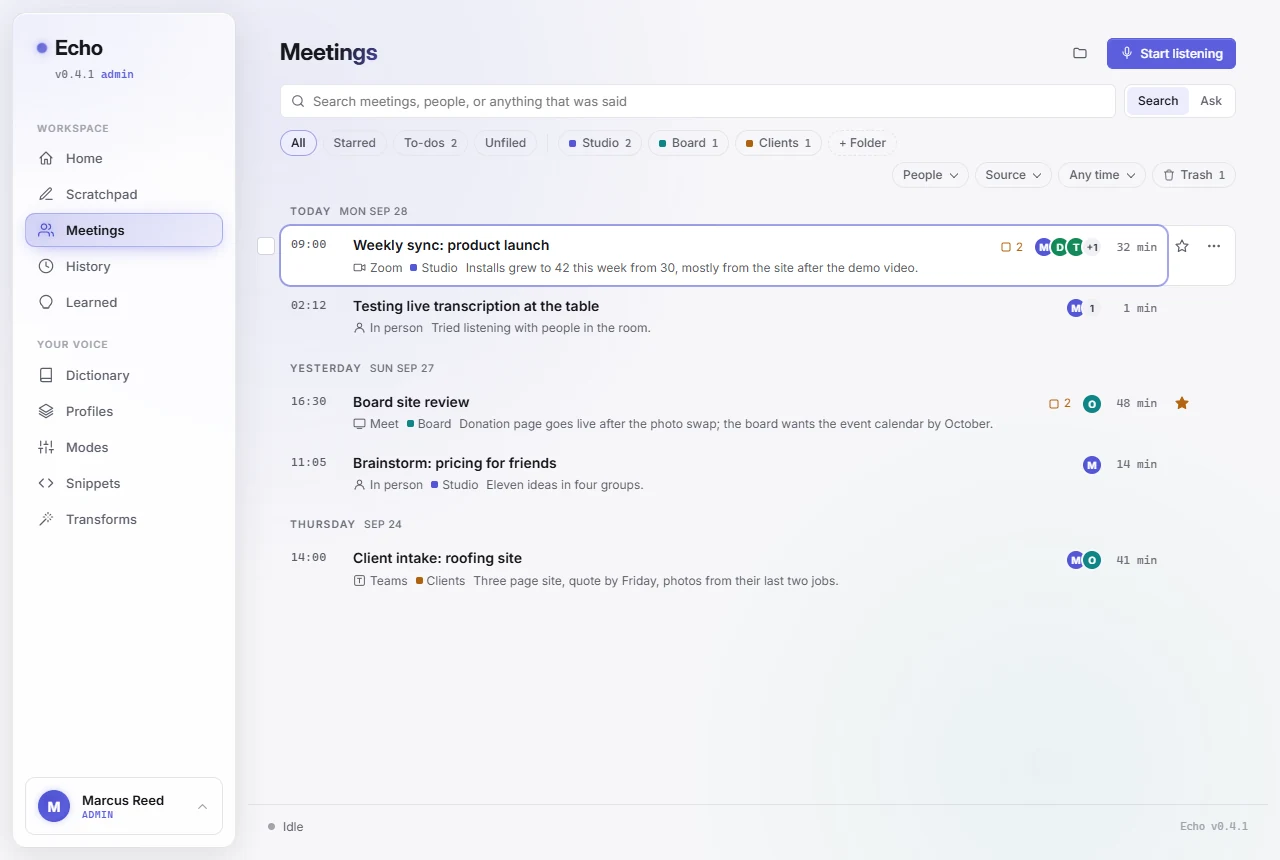
Light or dark, your call
The Echo window has a clean light theme beside the dark one, or it follows Windows. This site does the same: the switch is in the top bar.
What comes after this build.
In order of arrival, no dates. The full list lives on the roadmap.
Names straight from the call app
Echo already watches the call window to offer notes. Reading the participant names and who is talking from Zoom, Teams and Meet hands real names to the voices above, with no training.
Your agenda, no sign-in
Paste a calendar link from each account, see what is next, and arm the notes ahead of time. Works with every account you have.
Your week in meetings
One note that pulls together what was decided and what is still open across everything Echo heard.
Accept on the pill
Take the call offer with one key, right on the pill, without opening the window.
Your meetings in your AI tools
The notes folder already works for any tool that reads a folder. A connector comes next, so an assistant can read your meetings directly.
Send a note where it needs to go
A task list, a chat, a document.
Get Echo.
Echo is invite-only. Send one sentence about what you'd use it for, and you'll get a personal reply with a download link and your activation key. No list, no drip campaign, a person answers.