3x faster
You speak around 150 words a minute. You type around 45. Echo closes that gap in every app.
Echo is push-to-talk dictation for Windows. Hold a key, say it the way it comes out of your mouth, release. Clean, finished text lands in whatever app you were typing in. And when a call starts, Echo takes the notes.
Echo lives in your tray and stays out of the way. The only interface you see day to day is a small pill at the bottom of your screen that tells you what the mic is doing.
Default is Pause, or pick any key or chord you never use. The pill expands and the wave starts moving: that is the only time the mic is live.
Talk the way you actually talk. Ramble, restart sentences, think out loud. Echo transcribes with Whisper-class accuracy in 90+ languages.
The cleanup pass fixes grammar, drops the filler and formats spoken lists as real lists. Finished text pastes at your cursor, in the app you were in.
This is the live overlay again, not a video. The wave swaps in place from the Appearance page while the pill keeps running. Rapids is the flagship; Cloud is the calm one.
Dictation tools give you a transcript. Echo gives you the message you meant. The cleanup pass is app-aware: an email reads like an email, a terminal command stays a command, a code comment keeps its backticks.
"um so basically I think we should uh move the launch to friday because the the demo isn't I mean the demo needs another day and um also can you tell walter to to check the feed first thing"
I think we should move the launch to Friday. The demo needs another day. Also, can you tell Walter to check the feed first thing?
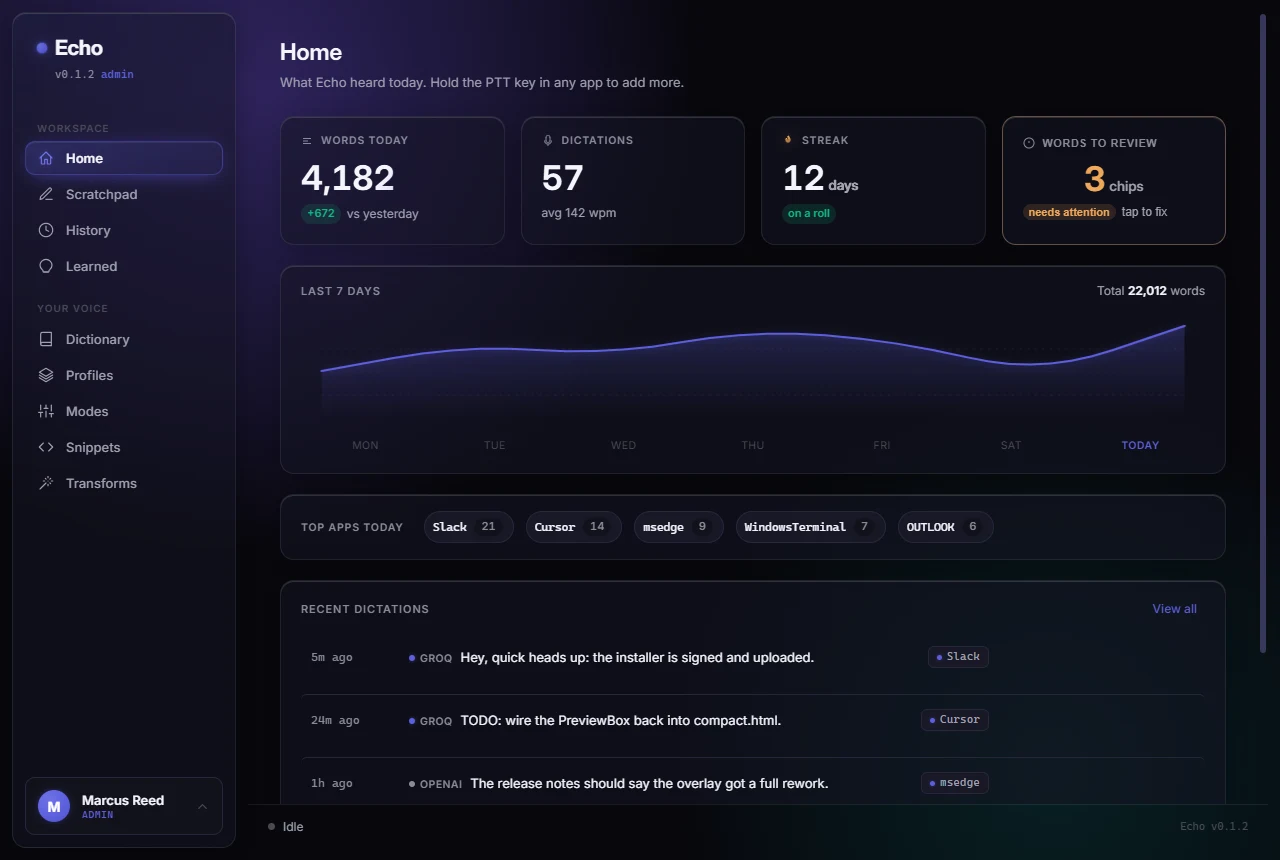
Everything Echo hears and learns lives in one window: your day at a glance, every dictation with its raw transcript, and the corrections Echo taught itself from your edits. These are real screens, in the dark theme; a clean light one is a click away in Settings.
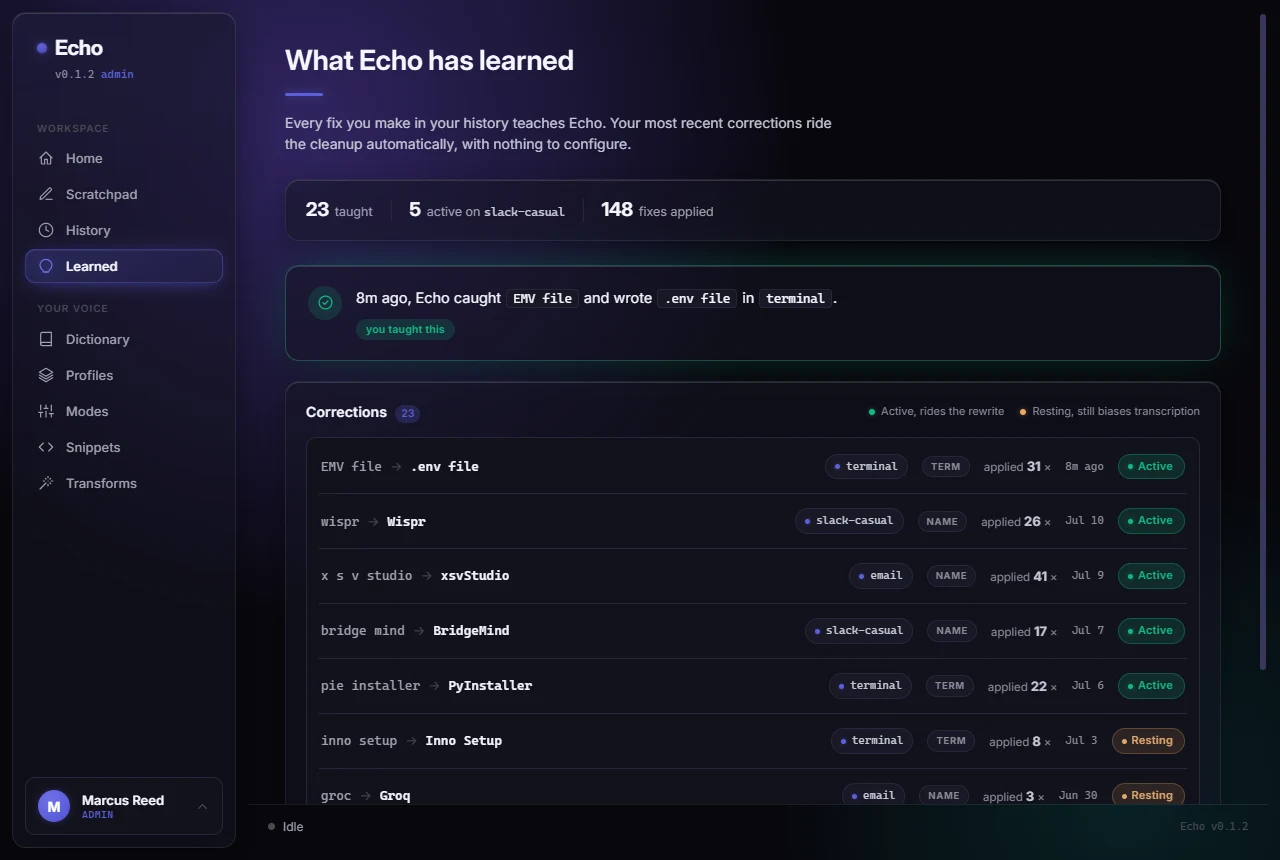
Edit a dictation once and Echo keeps the correction: "EMV file" becomes ".env file" forever, per app profile, with a count of every time it saved you.
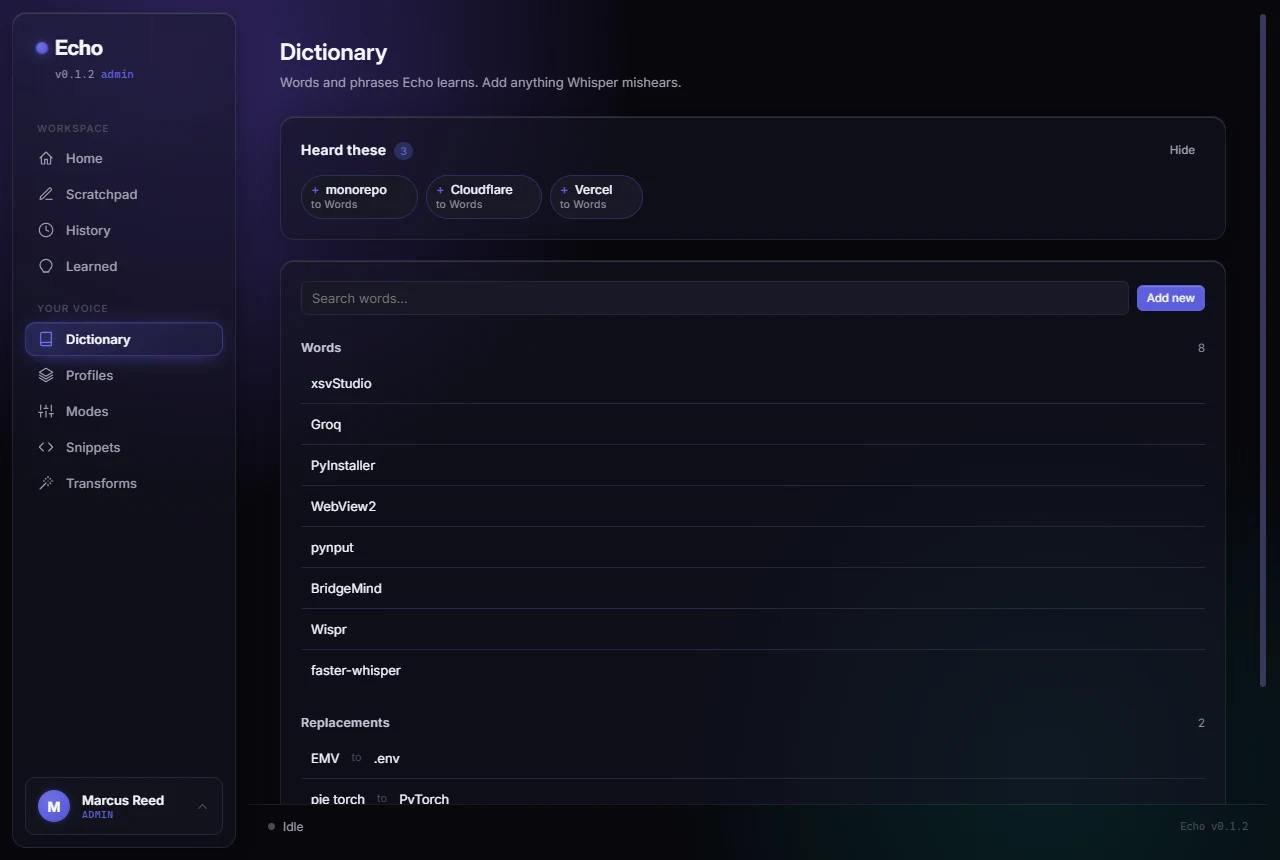
Echo notices what Whisper mishears and queues it as a one-click chip. Your jargon, product names and replacements ride every transcription after that.
A call comes to the front and Echo offers. It hears your mic and the other side through your speakers, tells the voices apart, and when you stop the note is there: a summary, the decisions, the next steps with who owns them, the open questions, and the whole transcript with every line timed and named. Nobody joins the call and no audio is kept.
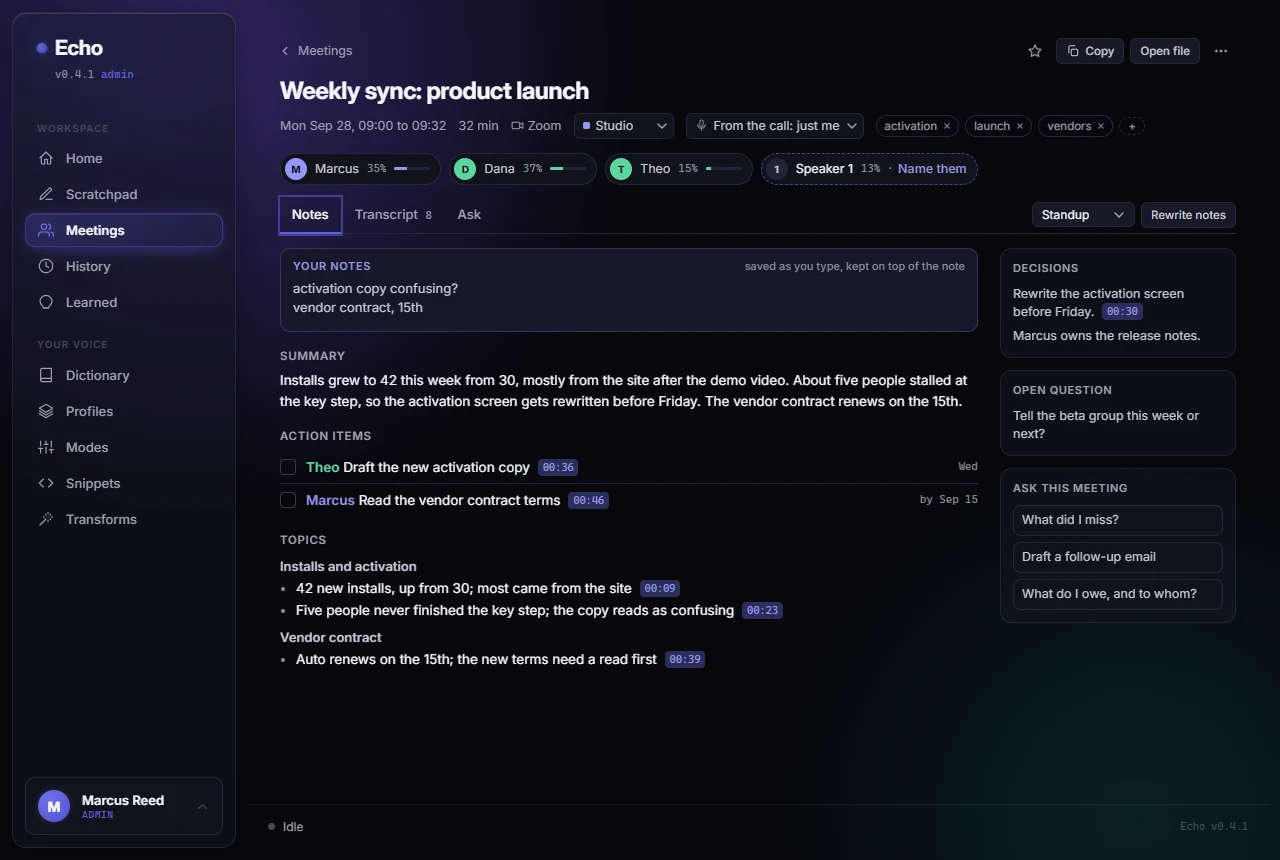
Every voice gets its own label, on your mic and on the call. Name a voice once and Echo knows it next time; your own voice it learns from your dictation.
Meetings grouped by day with folders, tags, people, stars and open to-dos. Search every word ever said and land on the line, or ask a question and get the meeting and time cited.
Type what matters while it listens and Echo builds the note around it. Pick a shape (standup, one on one, sales call, brainstorm, interview) and re-run it any time. Every note is a Markdown file.
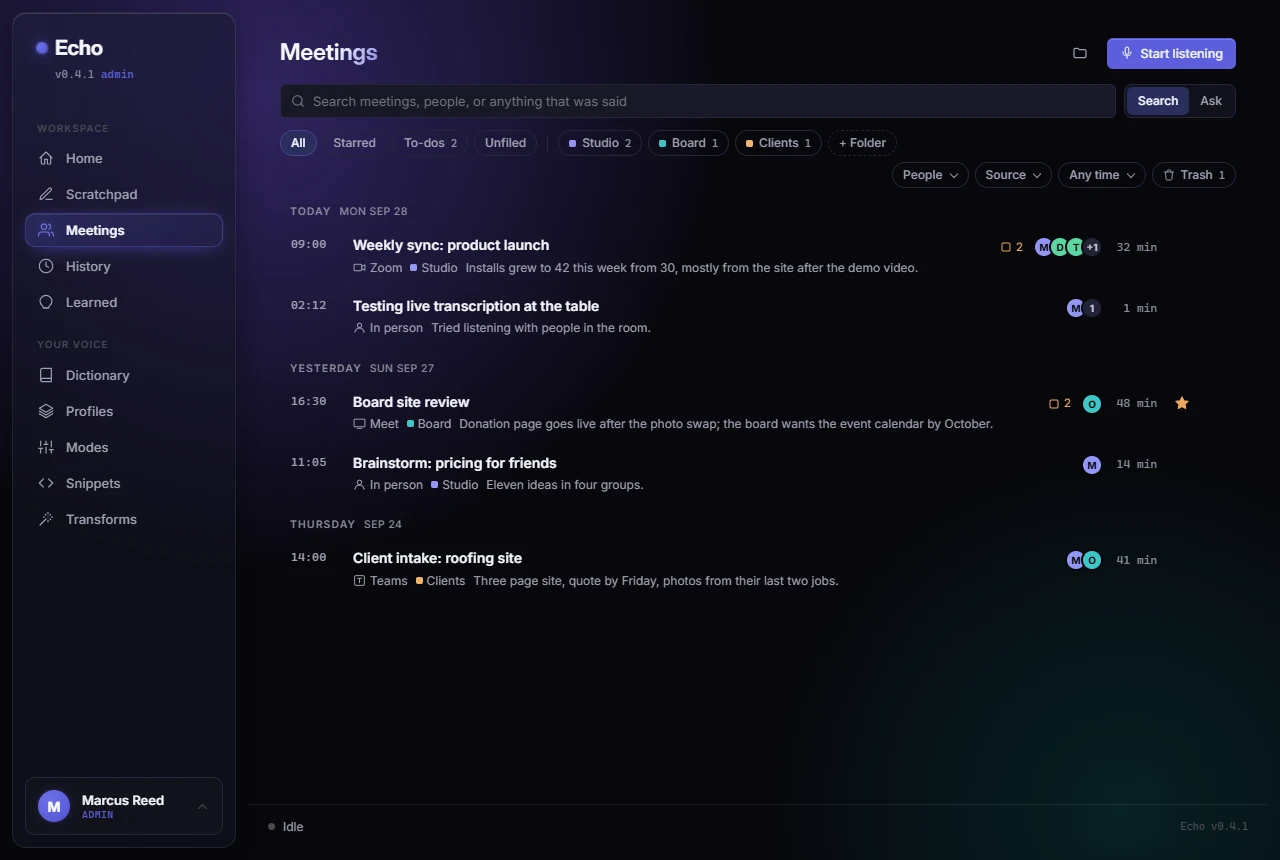
The time, the title, a line of the summary, who was there, where the call happened, the folder and the to-dos. Six fit where two used to.
Echo listens to your mic and the call, tells the voices apart, and writes the note: summary, decisions, next steps with owners, open questions, and the full transcript, searchable across every meeting.
Echo notices the names and jargon it misheard, suggests them as one-click chips, and never mishears them again.
Say "sign off" and your full signature block lands. Your boilerplate becomes a spoken word.
Think out loud into Echo itself. Blocks pile up as you talk; copy them out when the thought is finished.
Echo reads the window it is pasting into. Slack gets a casual register, email gets structure, VS Code keeps filenames and flags intact.
Every dictation keeps the raw transcript above the cleaned text, so you always see exactly what the cleanup changed. Repaste or transform any entry.
Pin one language or let Echo detect per dictation, so you can answer your mom and your standup in the same minute.
Double-tap the key to lock the mic, tap once to stop. Think out loud for minutes at a time without holding anything down. The pill shows an honest Hands-free state the whole way.
One key undoes your last paste, lets you edit the text, and pastes it back. The fix also teaches Echo, so the same mishear stops coming back.
Echo is built by one person for people he knows. That shapes everything about how it treats your data.
07:41:02 PTT press  target=Slack
07:41:06 release    4.1s audio
07:41:07 stt        41 words groq-whisper
07:41:07 audio      discarded
07:41:08 cleanup    profile=slack-casual
07:41:08 paste      landed at cursor
07:41:08 telemetry  none. there is none.
Echo is invite-only. Send one sentence about what you'd use it for, and you'll get a personal reply with a download link and your activation key. No list, no drip campaign, a person answers.
Contact
Questions, a bug, or an invite request. It lands directly with the person who builds Echo.